![ctel-logo-clean-3.png]](https://kb.ctelecom.net/hs-fs/hubfs/ctel-logo-clean-3.png?height=50&name=ctel-logo-clean-3.png)
Fanvil Device Steps
- Login to the phone's Web UI
- Go to 'Auto-provision'
- Then go to 'Static Provisioning'
- Enter the following settings:
- Server Address: sipcfg.io/cfg
- Protocol Type: HTTP
- Update Interval: 1 hour
- Update Mode: Update After Reboot
- Save and Reboot
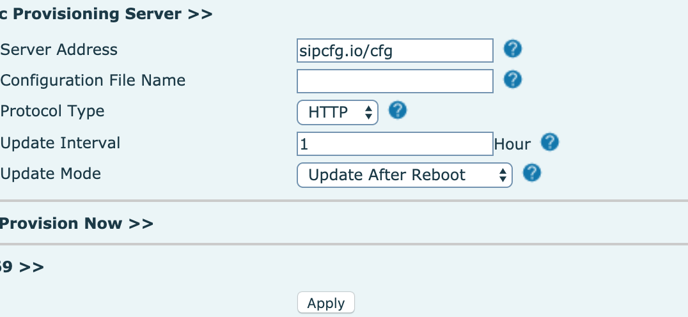
Note: Configuration File Name = your device MAC address but can also be left blank.